


Automation has become the secret weapon of modern websites. It allows you to connect plugins, streamline work, and save a lot of time on repetitive tasks.
If you’re looking for n8n Like Automation in WordPress tools, you’ve likely heard of n8n. It’s a powerful tool used by developers and techies. Workflows are created using nodes, which are quite advanced.
But if your main focus is WordPress, n8n may seem a bit more complicated. It requires hosting, requires technical maintenance, and takes time to learn. It’s not easy for every WordPress user.
Now imagine if you could get the automation power of n8n directly within the WordPress dashboard, without any stress. No extra hosting, no complex setup, no headaches.
In this guide, we’ll look at how you can add automation to WordPress using a simple and smart tool. This tool is built for WordPress, easy to use, and often cheaper than n8n.
Want to stay ahead with AI-driven WordPress insights and stay updated with the latest trends? Subscribe for daily search insights at wpguidepro to improve your WordPress strategy
Table of Contents
How to Add n8n Like Automation in WordPress
The fastest way to get n8n-like automation within WordPress is to use Uncanny Automator.
n8n is a great tool for connecting external apps via webhooks and APIs, but it treats WordPress like a normal external service. Uncanny Automator works directly within your WordPress website. It seamlessly connects your plugins, users, and external apps.
You don’t need to manage a separate server or write JSON or coding. You just select simple things, like the trigger User completes course and the action Add user to membership level. Everything happens through a visual builder, which makes it very easy to use.
What is n8n?
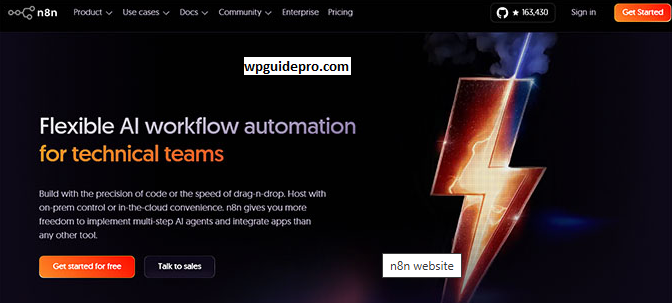
n8n also known as nodemation is an automation tool that connects apps and automatically performs tasks. It’s source-available, meaning you can host it for free on your own server or use their cloud service.
It has a drag-and-drop system. You pick boxes (nodes), place them on the screen, and connect them with lines to create workflows. Developers love it because it uses JavaScript and allows for advanced data manipulation.
But this is also what makes it a bit tricky. The high power makes it difficult for beginners to understand and use.
Where Does n8n Fall Short for WordPress Users?
n8n is powerful, but not always the best option for WordPress-focused businesses. Here are some reasons why it can be frustrating:
An external tool: n8n runs outside of your site, so it doesn’t automatically understand your WordPress data. If you want automation to run on a plugin event, you’ll need to technically setup webhooks or an API.
Maintenance stress: Self-hosting n8n saves money, but you now become a system administrator. You have to manage Docker containers, server updates, and security patches. If the server goes down, your automations also stop.
Difficult to learn: n8n is visual, but also technical. You need a basic understanding of JSON and JavaScript to connect nodes correctly.
Cloud cost: If you don’t want to self-host, n8n cloud plans can be expensive, especially if your workflows are high-volume.
Why Use Uncanny Automator Instead of n8n?
You can think of Uncanny Automator as n8n for WordPress. It also connects triggers to actions, but it works natively within WordPress.
Deep Integration: It works with over 160 WordPress plugins and third-party apps. It understands your data—like MemberPress membership levels, Gravity Forms forms, and WooCommerce products.
No Code Required: You don’t need to worry about webhooks or coding. The interface is simple: If this happens, then do that.
Unlimited Workflows: Many SaaS automation tools charge per task or operation, but Uncanny Automator runs on your server, so there are usually no extra fees.
One Dashboard: Everything is managed from your WordPress admin panel. No need to log in to external tools or switch tabs.
How to Use Uncanny Automator for WordPress Workflows
Let’s look at a practical example. Imagine you want to replicate a classic n8n workflow: when a customer purchases a product in WooCommerce, their details are saved in a Google Sheet, and a special WordPress user account is created for them.
This workflow can be created in minutes with Uncanny Automator:
Step 1: Install and Activate Uncanny Automator
- Go to the WordPress dashboard.
- Click Plugins > Add New.
- Search for Uncanny Automator.
- Install and activate the free version.
Note: Google Sheets integration requires the Pro version, but the free version handles many internal WordPress automations.
Step 2: Connect Uncanny Automator to Google Sheets
Uncanny Automator can connect WordPress directly to external apps without Zapier or n8n.
- Go to Automator > Settings in the Dashboard.
- Click the Google tab.
- Click Connect Google Account and allow Drive access.
You’re now connected.
Step 3: Create a Recipe and Set a WooCommerce Trigger
Workflows in Uncanny Automator are called Recipes.
- Go to Automator > Add New.
- Select logged-in users.
- Name the recipe, such as WooCommerce to Sheets & User Role.
- Select WooCommerce in the Triggers section.
- Trigger choose karo: user completes/pays/lands on thank you page for an order with a product.
By selecting specific product or choosing Any product.
Step 4: Add Google Sheets Action
Now the data is sent to the spreadsheet:
- Scroll to the Actions section.
- Select Add action > Google Sheets.
- Choose Action: Create a row in a Google Sheet.
- Select Spreadsheet and Worksheet.
- Use Star icon to pull dynamic data: First Name, Email, Order Total, Product Name.
Step 5: Create WordPress User
These steps show why native plugins are better than external tools:
- Select Add another action > WordPress in the Actions section.
- Choose action: Set user role.
- Select a role (e.g., VIP Member or Subscriber).
Now, two actions are being performed with one trigger: updating Google Sheets and setting the user role.
Step 6: Save and activate the recipe.
- Review the setup.
- Switch the top-right toggle from Draft to Live.
- The automation is now running.
Whenever that product is sold, the data will go to Google Sheets and the user’s role will be updated instantly.
FAQs About n8n Like Automation in WordPress
Is Uncanny Automator cheaper than n8n?
It depends on your use case. n8n has a free self-hosted version, but you’ll have to manage server costs and maintenance time yourself. n8n Cloud starts at around €20/month.
Uncanny Automator has a robust free version, and a Pro version for a yearly fee that allows unlimited recipes and connections. For businesses with high-volume tasks, this is often cheaper than n8n.
Can I use both tools together?
- Yes, absolutely. Uncanny Automator supports webhooks.
- You can handle internal WordPress tasks from Uncanny Automator.
Then, by sending webhooks, you can perform complex data processing or unusual app integrations in N8N, which Automator doesn’t yet support.
Does Uncanny Automator slow down my site?
Generally, no. Automator is lightweight. It only runs triggers when an action occurs, so it doesn’t continuously use resources.
But, as with every plugin, it’s good practice to keep the database clean.